Googlebook Explained: Google's New Premium AI Laptop (Specs, Price, Features)
What Is a Googlebook? Google's New Premium AI Laptop Explained

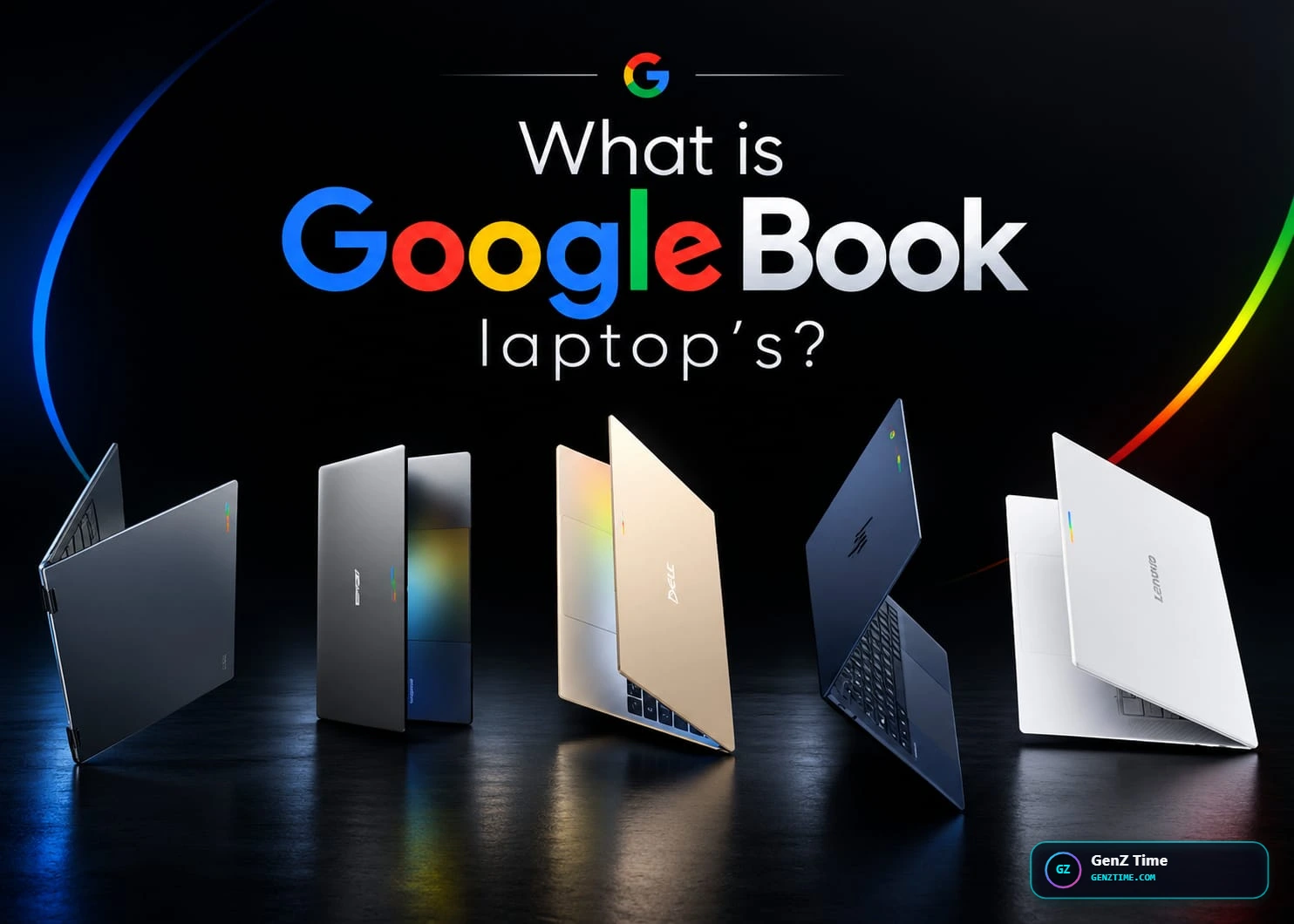
What Is a Googlebook? Google's New Premium AI Laptop Explained
Many people are confused about the Googlebook. Is it a new Chromebook? A software update? Neither. Google unveiled Googlebook on May 12, 2026, as a new laptop category that moves past the Chromebook name and puts Gemini at the center of the computing experience. This guide explains what it is, what it offers, and who it is for.
A Googlebook is a laptop built around Google's Gemini AI. It is not made by Google itself. Google has not announced its own Googlebook hardware and is partnering with Acer, ASUS, Dell, HP and Lenovo.
It runs a new system called Googlebook OS. This is not the basic ChromeOS you know from Chromebooks. The system combines Chrome, Google Play apps and an "intelligence system" that goes beyond a traditional operating system.
Chromebooks are not going away. Googlebooks will sit at the more premium end of the market, and Chromebooks will continue to be supported. Think of Googlebook as Google's answer to premium laptops like the MacBook.
Key Features Magic Pointer
This is the headline feature. You wiggle your cursor and Gemini gives you quick suggestions based on whatever you point at. For example, you can point at a date in an email to set up a meeting. You can also select two images, like your living room and a new couch, and see them together. Google built Magic Pointer with its DeepMind team.
Android Apps and Phone Integration
You can use the Google Play Store to run Android apps on the laptop. A feature called Quick Access lets you view, search or insert your phone's files without transferring them.
Custom Dashboards and Magic Cue
You can ask Gemini to build a personal dashboard that pulls in data from Gmail, Google Calendar and the web. Magic Cue, borrowed from Pixel phones, suggests actions based on your messages and email.
Glowbar
Every Googlebook has an illuminated LED strip on its lid called the Glowbar. Google calls it functional and beautiful but has not fully explained what it does day to day. Reports suggest it may work as a notification light.
Dedicated G Key
Early renders of the Asus and Lenovo models show a large "G" key on the keyboard between the Fn and Alt keys.
Hardware at a Glance
Every launch model has a backlit keyboard, a touchscreen and the Glowbar. Every model also has at least 16GB of RAM. Intel's Core Ultra Series 3 chips power the Acer, ASUS and Lenovo models, while Dell and HP use Qualcomm's Snapdragon X Elite.
Model US Starting Price Processor Battery (up to) Acer Googlebook 14 $899 Intel Core Ultra 5/7 16 hours Lenovo Googlebook 15 $1,099 Intel Core Ultra 5 13 hours Dell XPS Googlebook $1,199 Snapdragon X Elite 18 hours ASUS Googlebook 14 $1,299 Intel Core Ultra 5/7 16 hours HP Googlebook 14 $1,299 Snapdragon X Elite 19 hours
The Dell and ASUS models are the lightest at about 2.2 pounds (around 1 kg), the Lenovo has the largest screen at 15.3 inches, and the Acer is the only convertible 2-in-1. Acer has said $899 is an initial launch price that may change.
Security and Updates
The HP model supports both face and fingerprint unlocking. Googlebook OS is promised regular feature updates for up to 10 years from launch.
It suits people who already use Android and Google services and want AI help built into their laptop. It is a poor fit for those who need heavy desktop software or want a cheap device. If you are in India, wait for official pricing.
Googlebook Explained Tech Specs
Intel Core Ultra 5 325 on the Acer and Lenovo models, and Qualcomm Snapdragon X Elite on the Dell XPS, plus Core Ultra 5/7 on ASUS and Snapdragon X Elite on HP
There is no dedicated GPU, only integrated graphics: Intel Xe3 on the Intel models and Qualcomm Adreno X1-85 on the Snapdragon models.
Most models have a 14-inch 16:10 OLED touchscreen at 2880 x 1800, up to 120Hz and 500 nits, the Lenovo has a 15.3-inch OLED at the same resolution, and the Dell XPS is a 13.4-inch 2.5K non-OLED screen.
16GB LPDDR5X on the base models, and up to 32GB on the Dell, ASUS and HP
NVMe SSD from 256GB up to 512GB or more, such as 512GB PCIe Gen 4 on the Acer
Battery life is rated up to 13–19 hours, with a 71Wh battery and 100W USB-C charger on the Acer, a 70Wh battery and 65W USB-C charger on the Lenovo, and a 65W GaN USB-C adapter on the Dell
The Lenovo has 2x Thunderbolt 4, 1x USB-A, 1x HDMI 2.0, a 3.5mm jack, Wi-Fi 7 and Bluetooth 5.4, the ASUS has 2x USB-C, USB-A and HDMI, and the Acer, Dell and HP are USB-C only (2–3 ports)
Googlebook OS, Google's Android-based system with Chrome, the Play Store and Gemini built in.
Weights run from about 1.0 kg (Dell XPS, ASUS) to 2.82 lb (about 1.28 kg) on the Lenovo, which measures 341 x 236 x 15.9 mm, and the Dell XPS is 296.9 x 200.66 x 12.7 mm.
US starting prices are Acer $899, Lenovo $1,099, Dell XPS $1,199, and ASUS and HP $1,299, while higher-storage configurations cost more, for example $1,149 for the Lenovo with 512GB
Lab Pros & Cons Verdict
The Good / Advantages
- Premium build with OLED touchscreens
- Strong battery life, up to 19 hours on some models
- Gemini AI built into everyday actions
- Android apps and easy phone file access
- Long update promise of up to 10 years
The Bad / Drawbacks
- Starts at $899, much costlier than a Chromebook
- Magic Pointer is new, and its real-world usefulness is still unproven
- Glowbar's full purpose is not yet clear
- India launch is unconfirmed
Experience • Expertise • Authoritativeness • Trustworthiness
Editor's Choice
An exceptional piece of technology delivering benchmark-topping capabilities.
Tested independently by GenZ Time Editorial Lab
Sahil
Hardware VerifiedFounder & Lead Hardware Editor
Lead hardware reviewer and founder at GenZ Time. Rigorously testing smartphones, silicon benchmarks, gaming gear, and AI hardware with real hands-on lab data.
Community Discussion & Tech Feedback
2 CommentsSpot on with the thermal analysis! Great to see a review that actually measures the wattage under sustained 4K rendering load instead of just repeating press release numbers.
How does the battery drain behave during continuous 5G tethering? Wondering if this makes a difference for daily mobile workflows.
More Related Gadget Reviews
Browse All →
ASUS ROG Zephyrus G16 vs Strix G16 (2026): Specs, Price & Which to Buy
ASUS ROG Zephyrus G16 vs ROG Strix G16 compared — processor, RTX GPU, 240Hz vs 300Hz display, cooling, upgradeability and India price. Find the right one for you.
Sahil
CJP Protest Against CEC Gyanesh Kumar: Latest Updates
CJP Protests Against CEC Gyanesh Kumar: What We Know So Far
Sahil
CJP Protest Explained: Why Abhijeet Dipke Faces Backlash
Why Is the Cockroach Janta Party Facing Protests? The Abhijeet Dipke Controversy Explained
Sahil